
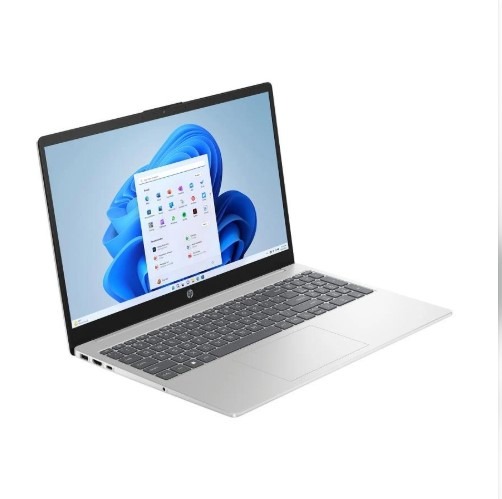
1. Introduction: Is the HP 15 i3 14th Gen Worth Buying?
Buying a new laptop can be confusing, especially when there are so many models available. Some laptops offer good processors but limited memory. Others provide more storage but compromise on display quality.
The HP 15 with the Intel Core 3 100U processor is designed for people who need a laptop for everyday computing.
It comes with 8GB DDR5 RAM and a 512GB SSD in the configuration covered in this review. These features make it suitable for common activities such as browsing, preparing documents, attending online classes and watching videos.
The 15.6-inch Full HD display also gives you more screen space for everyday work.
However, is it powerful enough for multitasking? Can students use it for programming? Is it a good option for office work?
Let’s look at its features one by one.
Table of Contents
HP 15 i3 14th Gen: Key Specifications
The following specifications are for the HP 15-fd0883TU configuration. Check the exact model number before purchasing because HP sells different configurations under the HP 15 name.
| Specification | Details |
|---|---|
| Brand | HP |
| Model | HP 15-fd0883TU |
| Processor | Intel Core 3 100U |
| Processor generation | 14th Gen |
| Cores / Threads | 6 Cores / 8 Threads |
| Maximum speed | Up to 4.7 GHz |
| RAM | 8GB DDR5 |
| RAM speed | 5200 MT/s |
| Storage | 512GB PCIe NVMe SSD |
| Display | 15.6-inch Full HD |
| Resolution | 1920 × 1080 |
| Graphics | Intel Integrated Graphics |
| Operating System | Windows 11 Home |
| Keyboard | Full-size keyboard with numeric keypad |
| Connectivity | Wi-Fi 6 and Bluetooth |
| Battery | Configuration-dependent; commonly listed as 41Wh |
| Weight | Approximately 1.59–1.69 kg, depending on configuration |
| Warranty | Check seller and HP warranty details |
You can also read our detailed review of Acer Aspire 3 A324-53
2. Design and Build Quality: Simple and Professional
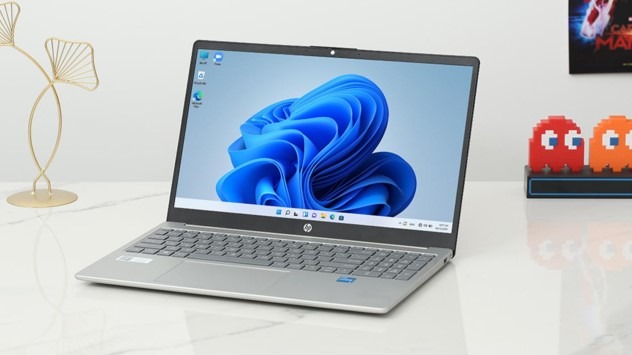
The HP 15 comes with a simple and professional design. Its silver finish gives it a clean appearance, making it suitable for students, office employees and home users.
It doesn’t have an overly decorative design. Instead, HP focuses on a practical look that works well in different environments.
Is the HP 15 Easy to Carry?
The laptop weighs approximately 1.6 kg, depending on the exact model and configuration.
You can carry it in a laptop backpack when travelling to college, the office or a library.
However, remember that the charger also adds some weight to your bag.
Build Quality
The HP 15 is designed for regular everyday use.
Its practical design makes it suitable for:
- College assignments and projects.
- Office documents and presentations.
- Browsing and online research.
- Watching movies and videos.
- Writing articles and preparing reports.
Still, don’t expect a premium metal-body experience at this price level. Check the actual construction and hinge quality before purchasing.
Our opinion: The HP 15 offers a practical design for everyday users who prefer a simple-looking laptop.
3. Display Quality: 15.6-Inch Full HD Screen
The display is one of the important features to check before buying a laptop.
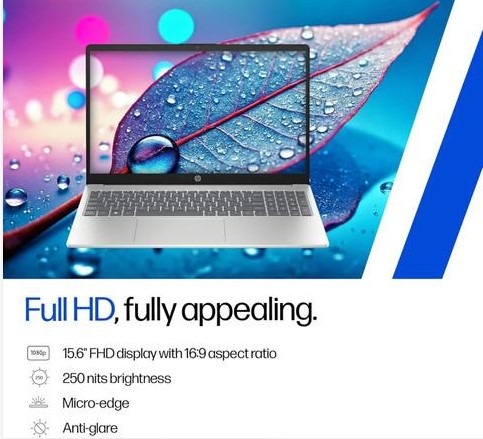
The HP 15-fd0883TU configuration comes with a 15.6-inch Full HD display.
It offers a resolution of 1920 × 1080 pixels. This resolution provides enough detail for everyday activities.
What Can You Do with a Full HD Display?
You can use the display for:
- Reading documents and PDFs.
- Creating Excel spreadsheets.
- Attending online classes.
- Watching YouTube videos.
- Browsing websites.
- Writing blog articles.
- Working with multiple windows.
The larger screen also gives you more working space than a smaller 14-inch laptop.
Is the Display Good for Watching Movies?
Yes, the Full HD resolution is suitable for watching movies, web series and online videos.
However, display quality isn’t only about resolution.
You should also check:
- Brightness level.
- Colour reproduction.
- Viewing angles.
- Anti-glare coating.
- Screen refresh rate.
Some configurations are listed with 250 nits brightness and limited colour coverage. This is acceptable for basic indoor use, but it isn’t ideal for professional photo or video editing.
Our opinion: The Full HD display is useful for students, office users and people who spend several hours working on documents or browsing the internet.
4. Processor Performance: Intel Core 3 100U
The processor is one of the most important parts of a laptop because it handles instructions and everyday computing tasks.
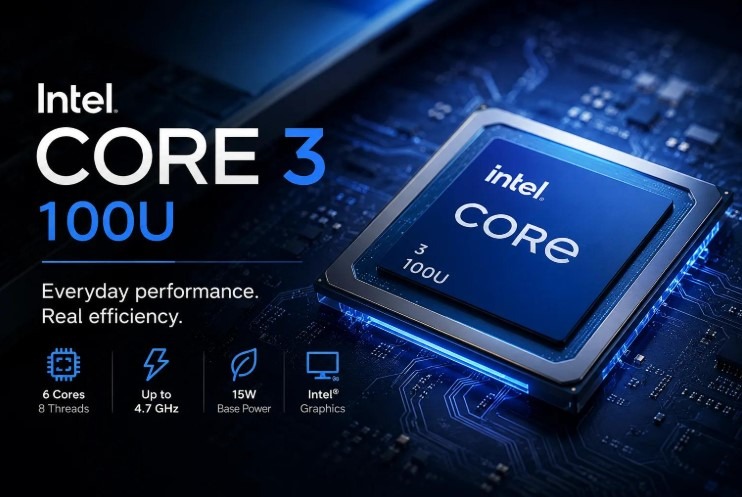
The HP 15 discussed in this article uses the Intel Core 3 100U processor.
Although some sellers advertise it as an i3 14th Gen laptop, its official processor name is Intel Core 3 100U.
Intel Core 3 100U Processor Specifications
| Feature | Details |
|---|---|
| Processor | Intel Core 3 100U |
| Cores | 6 |
| Threads | 8 |
| Maximum turbo frequency | 4.7 GHz |
| Cache | 10MB |
| Processor family | Intel Core 3 |
What Does This Processor Offer?
The Intel Core 3 100U is designed for everyday laptop computing.
It can handle common activities such as:
- Microsoft Word and Excel.
- Internet browsing.
- Online meetings.
- Email and messaging.
- Watching videos.
- Basic programming.
- Everyday productivity applications.
You can also work with multiple browser tabs and documents. However, performance depends on the number of applications running and available memory.
Is Intel Core 3 100U Good for Students?
Yes, it can be a practical choice for students who need a laptop for assignments, presentations, research and basic programming.
For B.Tech CSE students, it can handle beginner-level programming and many college-related activities.
However, if your work involves large software projects, virtual machines, Android Studio or demanding development tools, upgrading to 16GB RAM is worth considering.
Our opinion: The Intel Core 3 100U is suitable for everyday computing, but buyers should not expect high-end workstation performance.
5. RAM and Storage: 8GB DDR5 and 512GB SSD
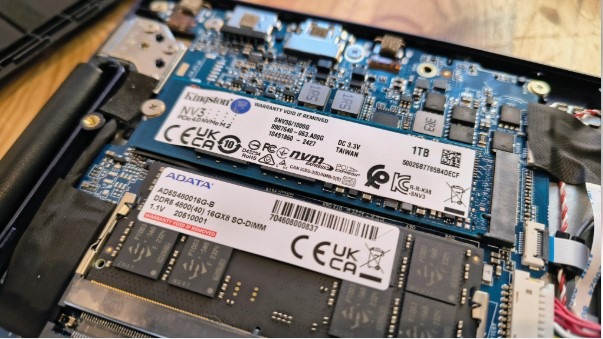
RAM and storage have an important role in the overall laptop experience.
The HP 15 configuration covered here offers 8GB DDR5 RAM and 512GB PCIe NVMe SSD storage.
Is 8GB DDR5 RAM Enough?
8GB RAM is suitable for basic everyday activities.
You can use it for:
- Browsing websites.
- Preparing documents.
- Watching videos.
- Attending online classes.
- Using office applications.
- Basic programming.
However, 8GB RAM may feel limited when you open many browser tabs and applications together.
For example, if you’re using a browser, Word, Excel and a code editor at the same time, the laptop may become slower depending on memory usage.
Should You Upgrade to 16GB RAM?
If your budget allows, a 16GB configuration is a better long-term choice.
It can provide more room for multitasking and demanding applications.
Before upgrading, check the laptop’s exact RAM configuration and compatibility.
The HP 15-fd1000 series documentation lists dual SODIMM memory support and a maximum supported memory of 32GB for the relevant series. However, supported memory depends on the specific configuration.
Is 512GB SSD Storage Enough?
The 512GB SSD offers enough space for many everyday users.
You can store:
- Documents and PDFs.
- College assignments.
- Office files.
- Photos and videos.
- Software applications.
- Personal projects.
An SSD also helps the laptop start Windows and open applications faster than a traditional hard drive.
Our opinion: 512GB SSD storage is a good starting point. However, 16GB RAM would be preferable for people who regularly multitask.
6. Keyboard and Touchpad: Comfortable for Daily Typing
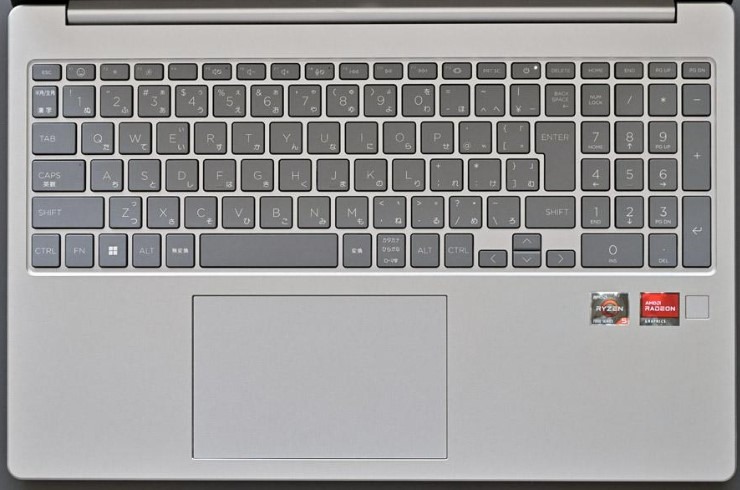
A comfortable keyboard is important if you spend several hours typing.
The HP 15 offers a full-size keyboard with a numeric keypad in the fd0883TU configuration.
This is useful for students, office employees and people who regularly work with numbers.
Benefits of the Numeric Keypad
A numeric keypad makes it easier to enter numbers in spreadsheets and accounting applications.
It can be helpful when working with:
- Microsoft Excel.
- Financial documents.
- Data entry.
- Calculations
- Office reports.
The touchpad supports everyday navigation without requiring an external mouse.
However, keyboard comfort is a personal preference. If possible, try typing on the laptop before buying it.
Our opinion: The full-size keyboard is a useful feature for people who type regularly.
7. Battery Life and Charging: What Should You Expect?
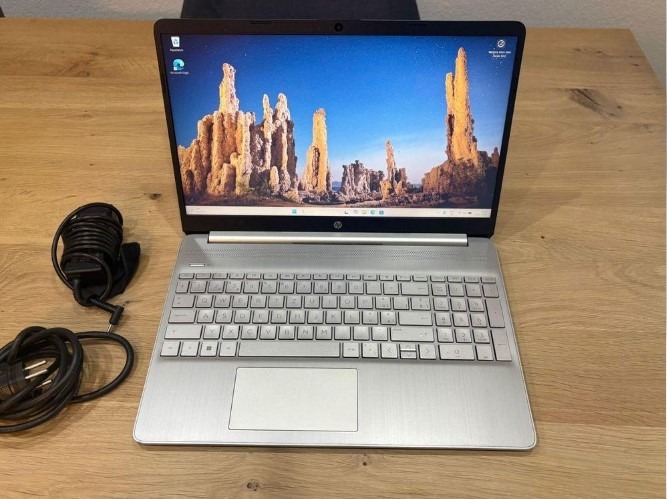
Battery life is another important factor when choosing a laptop.
The HP 15 configurations are commonly listed with a 3-cell 41Wh battery, although you should confirm this against your exact model number.
How Long Does the Battery Last?
Actual battery life depends on several factors:
- Screen brightness.
- Number of applications running.
- Wi-Fi usage.
- Video playback.
- Processor workload.
- Battery condition.
For example, browsing the internet and preparing documents generally use less power than running demanding applications.
Don’t rely only on the battery-life claims in advertisements.
Check independent battery tests for your exact configuration before purchasing.
Does It Support Fast Charging?
Some HP 15 configurations advertise HP Fast Charge.
The charging speed depends on the model, battery level and supplied adapter.
Check the product specification page to confirm whether your particular model supports this feature.
Our opinion: The battery should be suitable for normal daily use, but students who need all-day battery life without charging should compare independent test results first.
8. Connectivity and Ports: Connect Your Everyday Devices

Connectivity is important when you use a laptop for college, office work or personal activities.
The HP 15 offers different ports for connecting external devices.
For the HP 15-fd0883TU listing, the connectivity options include:
| Port or feature | Purpose |
|---|---|
| USB Type-C | Connecting compatible USB-C devices |
| 2 × USB Type-A | Connecting a mouse, keyboard or pen drive |
| HDMI 1.4b | Connecting an external monitor or TV |
| Headphone/microphone combo- | Connecting a headset |
| Wi-Fi 6 | Wireless internet connectivity |
| Bluetooth 5.4 | Connecting compatible wireless devices |
Can You Connect an External Monitor?
Yes. The HDMI port allows you to connect a compatible external monitor or television.
This is useful when you want a larger screen for office work, presentations or multitasking.
Important: USB-C features can differ between configurations. Some versions support only data transfer, while others may support additional features. Check the exact specification before purchasing.
Our opinion: The available ports should be sufficient for most everyday users.
9. Everyday Performance: How Does It Handle Daily Tasks?
The HP 15 is mainly designed for everyday computing.
Its Intel Core 3 100U processor, 8GB RAM and 512GB SSD provide a useful combination for regular activities.
Let’s look at some common tasks.
| Activity | Expected suitability |
|---|---|
| Internet browsing | Good |
| Microsoft Word | Good |
| Microsoft Excel | Good for regular spreadsheets |
| PowerPoint presentations | Good |
| Online classes | Good |
| Watching videos | Good |
| Email and office work | Good |
| Basic photo editing | Suitable for light work |
| Heavy video editing | Not recommended |
| Professional 3D work | Not recommended |
These are general suitability assessments, not measured benchmark results.
Is It Good for Internet Browsing?
Yes. You can use popular browsers to visit websites, read articles, research information and watch online videos.
However, opening too many tabs can use a lot of RAM.
If you regularly work with multiple browser windows, consider a 16GB RAM configuration.
Is It Good for Microsoft Office?
Yes. The laptop is suitable for common Microsoft Office activities.
You can prepare Word documents, create Excel sheets and make PowerPoint presentations.
It can also be useful for people who work with email, online meetings and everyday office applications.
Our opinion: The HP 15 is a practical everyday laptop for people who don’t need advanced computing performance.
10. Is the HP 15 Good for Students and Online Classes?
Students need a laptop for different activities, including assignments, research, presentations and online classes.
The HP 15 offers a large screen, a practical keyboard and an SSD for everyday student requirements.
Benefits for Students
Here are some useful features:
- A 15.6-inch screen for reading and studying.
- Full HD resolution for clearer text and videos.
- A numeric keypad for calculations.
- An SSD for faster application loading.
- Windows 11 for everyday software.
- A webcam and microphone for online meetings.
The exact webcam specification depends on the model. The fd0883TU listing mentions a 1080p camera. Check your SKU before relying on this feature.
Is It Good for B.Tech CSE Students?
The HP 15 can be suitable for B.Tech CSE students who need a laptop for:
- C and C++ programming.
- Python programming.
- HTML, CSS and JavaScript.
- Basic Java development.
- College assignments.
- Online technical courses.
- Web development practice.
However, computer science students may need more powerful hardware as they progress through their course.
For example, Android Studio, virtual machines, large programming projects and data science applications can require more memory and processing power.
If your budget allows, choose 16GB RAM rather than 8GB.
Our opinion: The HP 15 is suitable for basic programming and college work. For advanced development, look for a laptop with 16GB RAM and stronger overall performance.
11. Is the HP 15 Good for Multitasking and Productivity?
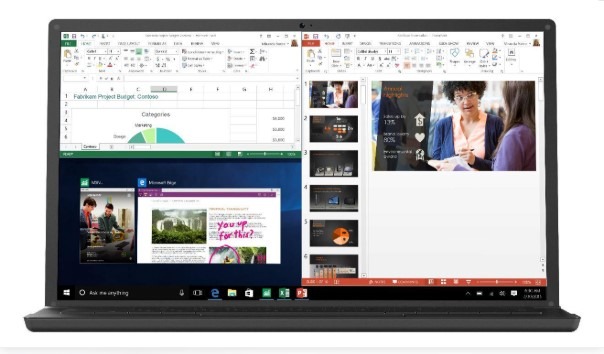
Multitasking means using multiple applications at the same time.
For example, you might open a browser, prepare a Word document and listen to an online lecture.
The Intel Core 3 100U processor can handle many regular productivity tasks.
However, the 8GB RAM configuration has some limitations.
What About Blog Writing and Website Management?
If you manage a website or write blog articles, you may use several tools together.
For example:
- WordPress dashboard.
- Elementor editor.
- Google Search.
- Microsoft Word.
- Image editing tools.
- SEO research tools.
The HP 15 can handle basic blog writing and website management.
However, Elementor editing and multiple browser tabs can use considerable memory.
For smoother multitasking, I would prefer a 16GB RAM laptop.
Our opinion: The HP 15 is suitable for regular productivity, but 8GB RAM isn’t ideal for heavy multitasking.
Best Laptops for Students
12. Gaming and Graphics: Is It Suitable for Gaming?
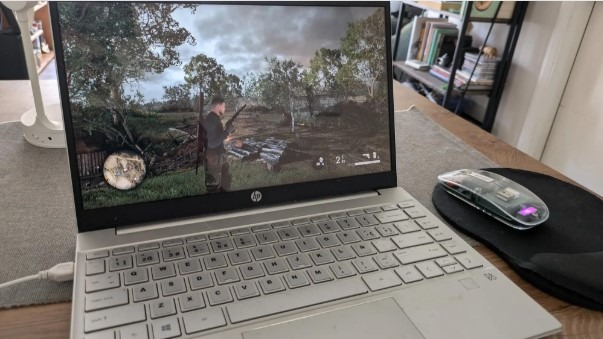
The HP 15 comes with integrated Intel graphics.
These graphics are designed for everyday display tasks, video playback and basic graphical applications.
Can You Play Games on the HP 15?
You can play some lightweight and older games, depending on their system requirements.
However, this laptop isn’t designed for demanding gaming.
You shouldn’t expect smooth performance in modern games with high graphics settings.
What about Video Editing?
You can use basic photo editing applications and perform light editing work.
However, demanding video editing, complex effects and professional 3D applications may not perform well.
If gaming or video editing is your main priority, consider a laptop with a more powerful processor and dedicated graphics.
Our opinion: Choose the HP 15 for everyday computing rather than gaming or demanding graphics work.
13. HP 15 i3 14th Gen: Pros and Cons
Pros
- Intel Core 3 100U processor
- 15.6-inch Full HD display
- 512GB SSD storage
- Full-size keyboard
- Numeric keypad
- Wi-Fi 6 connectivity
Cons
- 8GB RAM may limit multitasking
- Integrated graphics
- Not designed for demanding gaming
- Display colour coverage may be limited
- Battery life needs checking
- Configuration differences between models
Main Advantages
- Useful everyday performance
The processor is suitable for regular work, browsing and office applications.
- Large Full HD display
The 15.6-inch screen is useful for studying, reading and working with documents.
- SSD storage
The 512GB SSD provides good storage capacity for everyday users.
- Practical keyboard
The numeric keypad makes it easy to enter numbers quickly.
Main Limitations
- 8GB RAM
It may become limiting when several demanding applications are running.
- Integrated graphics
It isn’t the right choice for demanding games or professional graphics work.
- Display quality
The Full HD resolution is useful, but colour reproduction and brightness may not satisfy creative professionals.
14. Who Should Buy the HP 15 i3 14th Gen?
The HP 15 can be a good choice for people who need a laptop for everyday computing.
You can consider this laptop if you are:
- A college student.
- An office employee.
- A home user.
- A beginner programmer.
- Someone who attends online classes.
- Someone who regularly prepares documents.
- A blogger who writes articles and manages a basic website.
Is It Suitable for Personal Use?
Yes. You can use it for browsing, watching videos, managing personal documents and other everyday activities.
Is It Suitable for Office Work?
Yes. It can handle common office tasks such as Word, Excel, PowerPoint, email and online meetings.
Is It Suitable for Bloggers?
Yes, for basic blog writing, WordPress management, research and SEO activities.
However, if you regularly use multiple browser tabs, Elementor and image editing software together, 16GB RAM is a better choice.
15. Who Should Avoid the HP 15?
Not every laptop is suitable for every user.
You may want to consider another laptop if you:
- Play demanding PC games.
- Edit 4K videos regularly.
- Work with professional 3D software.
- Run several virtual machines.
- Need a high-quality colour-accurate display.
- Use memory-intensive applications every day.
In these situations, look for a laptop with 16GB RAM or more, a stronger processor and, where required, dedicated graphics.
16. Things to Check before Buying the HP 15
Before placing your order, check the following details carefully.
| What to check | Why it matters |
|---|---|
| Exact model number | Confirms the configuration |
| Processor | Make sure it is Core 3 100U |
| RAM | Confirm 8GB DDR5 |
| RAM upgrade | Check upgrade options |
| Storage | Confirm 512GB NVMe SSD |
| Display | Check Full HD resolution |
| Battery | Confirm battery capacity |
| Webcam | Check camera resolution |
| Operating system | Confirm Windows 11 |
| MS Office | Check included licence |
| Warranty | Confirm HP warranty coverage |
| Return policy | Check seller conditions |
Check the Exact Model Number
This is especially important.
HP sells several laptops under the HP 15 series. Their RAM, display, camera, battery and connectivity features can differ.
For example, the HP 15-fd0883TU and other HP 15 models may not have identical specifications.
Don’t purchase based only on the product title.
Check the Warranty
Check whether the laptop includes a valid HP India manufacturer warranty.
Also, verify the seller’s return and replacement policies.
Check the Latest Price
Laptop prices change during sales and promotional offers.
Compare the price on different trusted shopping websites before making your decision.
17. Frequently Asked Questions (FAQs)
1. Is the HP 15 i3 14th Gen good for students?
Yes. The HP 15 is suitable for students who need a laptop for assignments, presentations, online classes, browsing and basic programming.
2. Is the Intel Core 3 100U good for everyday use?
Yes. The Intel Core 3 100U can handle everyday activities such as browsing, office applications, online meetings and document editing.
3. Is 8GB RAM enough for the HP 15?
8GB RAM is enough for basic tasks. However, 16GB RAM is better if you regularly use multiple applications or browser tabs.
4. Can I upgrade the RAM on the HP 15?
Some HP 15 configurations support RAM upgrades. Check the exact model number and supported memory before purchasing or upgrading.
5. Is the HP 15 good for programming?
Yes. It is suitable for basic programming, including C, C++, Python, Java and web development. For advanced programming and virtual machines, consider 16GB RAM.
6. Is the HP 15 good for gaming?
It is suitable for lightweight games and basic entertainment. However, it isn’t recommended for demanding PC games because it uses integrated graphics.
7. Does the HP 15 have a Full HD display?
The HP 15-fd0883TU configuration discussed in this article has a 15.6-inch Full HD display with 1920 × 1080 resolution. Always check the exact configuration.
8. How much storage does the HP 15 offer?
The configuration covered here comes with a 512GB PCIe NVMe SSD. It provides enough space for everyday documents, applications and personal files.
9. Does the HP 15 come with Windows 11?
The HP 15-fd0883TU listing specifies Windows 11 Home. Confirm the operating system included with your selected model.
10. Where can I buy the HP 15 i3 14th Gen laptop?
You can check the latest price and availability on Amazon India and the official HP India website. Compare the model number, specifications and warranty before ordering.
18. Final Verdict: Should You Buy the HP 15 i3 14th Gen?
The HP 15 with the Intel Core 3 100U processor is a practical laptop for everyday computing.
Its 15.6-inch Full HD display, 8GB DDR5 RAM and 512GB SSD make it suitable for students, office employees and home users.
It can handle regular activities such as browsing, document editing, online classes and basic programming.
However, there are a few things to consider before buying.
The 8GB RAM configuration may feel limited during heavy multitasking. Integrated graphics also make it unsuitable for demanding gaming and professional graphics work.
If you have a little more budget, consider a 16GB RAM laptop for better multitasking and longer-term use.
Our recommendation: The HP 15 is worth considering if you need a laptop for everyday work, studying and basic productivity. Compare its price with other laptops before making your final decision.