

Buying a laptop for studying, office work or everyday use doesn’t have to be difficult. You need a machine that starts quickly, handles your daily tasks smoothly and offers enough storage for your files without costing too much.
In this Acer Aspire 3 A324-53 Review, we’ll look at seven important things you should know before purchasing this laptop. It features an Intel Core i3-1305U processor, 8GB RAM and a 512GB SSD in the configuration covered here.
The laptop also comes with a 14-inch Full HD IPS display, integrated Intel UHD Graphics and Windows 11 Home. These features make it worth considering for students, office users and people who need a laptop for everyday computing.
However, specifications alone don’t tell the whole story. You should also consider the display experience, battery life, upgrade options and whether the price is reasonable compared with other laptops.
Let’s explore its main features and limitations to help you make a better buying decision.
Affiliate disclosure: This article may contain affiliate links. If you purchase through these links, we may earn a commission at no additional cost to you.
Acer Aspire 3 A324-53: Key Specifications
Here is a quick look at the main specifications of the 8GB RAM and 512GB SSD configuration.
| Specification | Details |
|---|---|
| Brand | Acer |
| Model | Aspire 3 A324-53 |
| Processor | Intel Core i3-1305U |
| RAM | 8GB DDR4 |
| Storage | 512GB PCIe NVMe SSD |
| Display | 14-inch Full HD IPS |
| Resolution | 1920 × 1080 pixels |
| Graphics | Intel UHD Graphics |
| Operating System | Windows 11 Home |
| Battery | 45.6Wh, 2-cell lithium-ion |
| Weight | Approximately 1.45kg |
| Colour | Steel Grey |
| Warranty | One year, according to the listed configuration |
Source: Acer India official store. Confirm the specifications, warranty and exact product code before buying, as configurations can differ.
1. Design and Build Quality: Is It Easy to Carry?
The first thing to consider when buying a laptop is its design. If you plan to carry your laptop to college, the office or a library, a large and heavy machine may become uncomfortable over time.
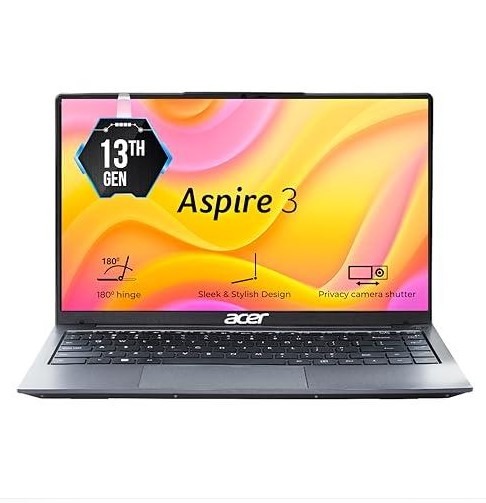
The Acer Aspire 3 A324-53 comes in a Steel Grey finish. Its simple appearance suits students and professionals who prefer a clean, practical design rather than an attention-grabbing gaming laptop.
Lightweight Design for Everyday Use
According to Acer’s product listing, this laptop weighs approximately 1.45kg. Its listed dimensions are around 321.7 × 206.6 × 19.4mm.
These dimensions make it a practical option for carrying in a suitable laptop bag. You can take it to classes, meetings or your workplace without carrying a particularly heavy machine.
Its 14-inch size also offers a useful balance between portability and screen space.
For example, students can use it to take notes, attend online classes and prepare assignments. Office users can carry it between home and work.
What about Build Quality?
The Aspire 3 is designed as a mainstream laptop for everyday computing. Its appearance is straightforward, and it doesn’t focus on premium materials or a luxury finish.
Before buying, check the keyboard, touchpad, hinge movement and overall chassis quality in person if possible.
My recommendation: If you need a simple laptop for regular use, the Aspire 3’s size and weight are practical advantages. However, don’t expect the premium construction of a more expensive business laptop.
2. Display Quality: Is the 14-Inch Screen Good Enough?
The screen is one of the most important parts of a laptop because you’ll use it for reading, writing, watching videos and working with documents.
The listed A324-53 configuration features a 14-inch Full HD IPS display with a resolution of 1920 × 1080 pixels.
Full HD Resolution for Clear Images
Full HD resolution provides enough detail for everyday activities such as browsing websites, reading documents and watching videos.
Text should be suitable for reading, while images and videos can appear clear when the content itself is of good quality.
The 14-inch screen also makes the laptop easier to carry than many larger 15.6-inch models.
Benefits of an IPS Display
IPS technology is generally associated with wider viewing angles than basic TN displays. This can be useful when you adjust your seating position or look at the screen from a slight angle.
You can use the display for:
- Online classes and educational videos
- Microsoft Office documents and spreadsheets
- Browsing websites and reading articles
- Watching movies and YouTube videos
- Basic photo viewing and everyday editing
However, resolution is only one part of display quality. Brightness, colour accuracy, reflections and outdoor visibility also matter.
The official specification doesn’t provide enough information to guarantee professional-level colour accuracy or exceptional brightness.
Is It Suitable for Long Working Sessions?
The screen size and resolution are suitable for many everyday tasks. Still, if you work with large spreadsheets or several windows at once, a larger external monitor may be more comfortable.
If your main priority is photo editing, graphic design or colour-critical work, look for independent display measurements before purchasing.
My recommendation: The 14-inch Full HD display should suit general productivity and entertainment. Buyers who need a brighter screen or more accurate colours should compare alternatives carefully.
3. Processor and Performance: What Can the Intel Core i3-1305U Do?
Performance is a major factor in this Acer Aspire 3 A324-53 Review. The laptop uses the Intel Core i3-1305U processor, which belongs to Intel’s 13th-generation mobile processor family.
This processor is intended for efficient everyday computing rather than demanding professional workloads.
Everyday Performance for Students and Office Users
For regular tasks, the processor should be suitable for activities such as:
- Browsing the internet
- Writing assignments and reports
- Using Microsoft Word and Excel
- Attending online classes and video meetings
- Watching videos and listening to music
- Managing emails and PDFs
- Using lightweight productivity applications
For example, a student writing an assignment while researching information online should find this type of configuration useful.
Office users who work mainly with documents, emails and web-based applications may also find it sufficient.
The 512GB SSD helps the system start up quickly and improves application loading compared with traditional mechanical hard drives.
However, actual performance depends on the software you use, available memory, background applications and the laptop’s cooling system.
Can It Handle Multitasking?
The included 8GB RAM is a reasonable starting point for everyday work. It can handle common applications, although demanding workloads may use the available memory quickly.
If you regularly keep many browser tabs open while running large spreadsheets, editing applications or multiple communication tools, more memory may be helpful.
Before purchasing, confirm whether the exact configuration supports a RAM upgrade and what the upgrade would cost.
Is It Good for Gaming?
The Acer Aspire 3 A324-53 uses integrated Intel UHD Graphics rather than a dedicated gaming graphics card.
This makes it more appropriate for casual games, lightweight titles and older games with modest graphics requirements.
Demanding modern games may require lower graphics settings and can still perform poorly. You shouldn’t purchase this laptop primarily for high-quality gaming.
Similarly, it isn’t the ideal choice for intensive 3D rendering, advanced video production or heavy professional workloads.
My recommendation: The Core i3-1305U is worth considering for study, office work and routine home use. If gaming or demanding creative software is your main priority, compare laptops with stronger processors and dedicated graphics.
4. RAM and Storage: Is 8GB RAM and a 512GB SSD Enough?
Memory and storage affect how comfortably you can use your laptop. Although both are important, they serve different purposes.
RAM helps your computer manage active applications. Storage holds your operating system, installed software, documents, photos, videos and other files.
Is 8GB RAM Enough?
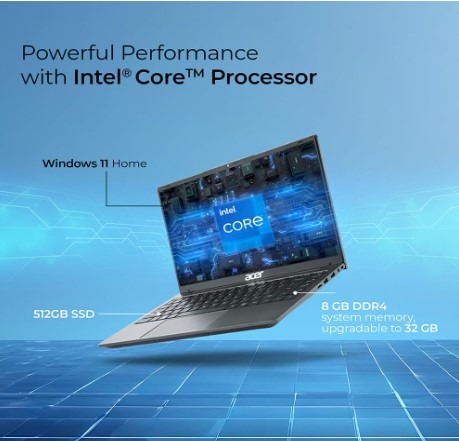
The 8GB RAM configuration is suitable for many basic tasks, including document editing, browsing, online classes and everyday office work.
For example, you could prepare a report while checking emails and researching information online.
However, 8GB may become limiting if you frequently use many browser tabs, run several heavy applications or edit large files.
If you expect your workload to grow, check the upgrade options before buying.
Acer’s official product information mentions upgrade support for some A324-53 configurations, but you should verify the memory layout and maximum supported RAM for your exact product code.
Why the 512GB SSD Is Useful
A 512GB PCIe NVMe SSD provides useful space for a typical student’s or office user’s files.
You can store documents, presentations, applications, downloaded files and a collection of photos or videos without immediately needing an external drive.
An SSD also offers faster access to files than a traditional mechanical hard drive. This helps improve start up times and general responsiveness.
Keep in mind that some storage space will be used by Windows, installed applications and recovery files, so the full advertised capacity won’t be available for personal files.
Can You Upgrade the Storage?
The official listing for the specified configuration mentions storage support up to 1TB. However, upgrade compatibility and installation requirements should be confirmed for the exact variant.
Before purchasing a larger SSD separately, check the manufacturer’s documentation or ask an authorised service provider.
My recommendation: The combination of 8GB RAM and a 512GB SSD is suitable for everyday computing. If you regularly edit large videos, use virtual machines or run demanding software, consider a laptop with more RAM and stronger processing power.
5. Battery Life and Charging: Can You Use It Away From a Socket?
Battery life matters if you study at college, travel for work or prefer using a laptop away from your desk.
The listed configuration has a 45.6Wh, two-cell lithium-ion battery. Acer advertises up to approximately 6.5 hours of battery runtime for this configuration.
However, this is a manufacturer-listed maximum, not a guarantee of how long every user will get.